Latest version 11.30b
Released on 6 April 2024
Software made in Luxembourg/Europe
Manage your daily tasks
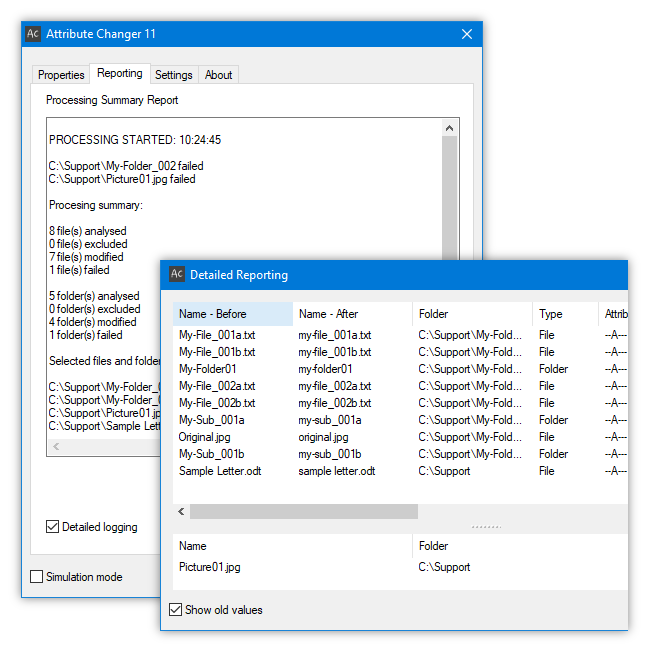
Attribute Changer can modify date and time on files, folders and photos. Filesystem attributes can be changed and you can uppercase, lowercase or capitalize names. Much more powerful options include simulation, batch processing, randomization, synchronization among others.
For example, you can make a file Read-Only to prevent software programs from saving changes to a file. Files and folders can be hidden under normal conditions if the Hidden attribute is set.
For better readibility, Attribute Changer can be used to Capitalize, Uppercase or Lowercase filenames, foldernames and extensions.
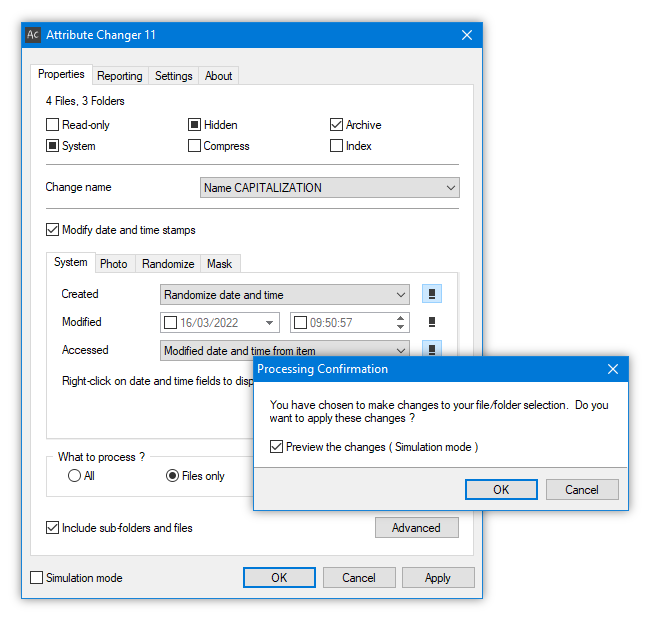
Manipulate date and time with endless possibilities
Manipulate date and time, add missing photo date and time information with endless possibilities.
· Absolute date and time stamps
· Add/Subtract values on hour, minute and second
· Add/Subtract values on day, month and year
· Randomise date and time
· Modify or add photo date and time (EXIF)
· Synchronise date and time
· Partial updates (for example only day or minute etc.)
· Apply date and time limits
· Redate folder with newest or oldest file
· Redate folder with newest or oldest folder
· Sequence order
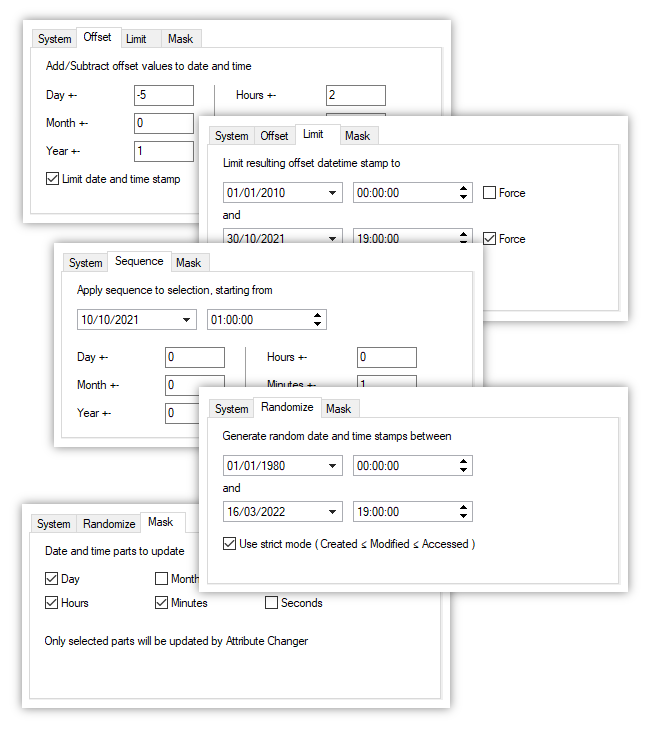
Use powerful filter options for batch processing
Tag only specific objects to be processed, use powerful options to filter files and folders for batch processing.
· Filter on attributes
· Filter on date and time
· Filter on file size
· Filter on name
Wildcard characters (* and ?) can be used in name filters and result in powerful exceptions like *.TMP, WRD?????.DOC, *(?)*.TXT etc
As wildcards are very generic and therefore can filter files and folders with the same expression, it may be useful to only tag files with an expression. Use directives -T, -D and -F in wildcard expressions to tag specific object types.
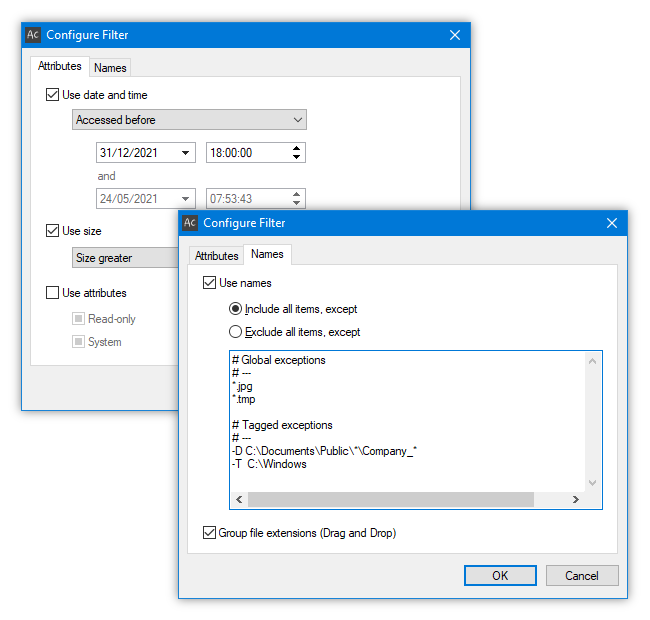
Track changes in realtime and export reports
Track changes made to files and folders in realtime and get detailed information, export reports for archiving.
· Log changes
Failed actions are logged in the Reporting tab, but a more detailed view can be activated at any time to display a complete view of all activities in realtime, such as successful and failed changes. Old and new values of modifications are listed side by side for a comparision.
· Export log
All logged activity can be exported into comma separated text files for further processing in a spreadsheet or to be archived.
Want to download?
Attribute Changer is free software for personal and commercial use. Download Attribute Changer from this site only to avoid bundled malware and additional, unwanted software.
Like the software?
Attribute Changer is free software, even for commercial use. The continued donations is what allows Attribute Changer to be available for free today. If you find this program useful, please consider making a Paypal donation.
Need help?
Attribute Changer’s user guide includes extensive information with usage examples. Additional information can be found in the FAQ.
If you would like to contact me, feel free to write in English, French and German. Please include information about Attribute Changer’s version, Windows version and a detailed description of the problem.
Check your spam/junk folder if you don’t get a reply within 48 hours.
Important information
Get Attribute Changer directly from my website to be 100% safe from nagware.
Do NOT download it from CNET/Download.com or other Download portals pushing nagware and adware on user’s computers. Other sources try to charge money for Attribute Changer downloads.
Attribute Changer is free of charge and will NEVER be bundled with adware and nagware.